

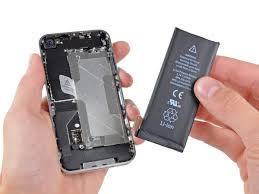
We've all been there - your phone starts dying faster than usual, takes forever to charge or randomly shuts down at 20%.
But when do you stop hoping for a miracle and accept that it's time to replace the battery?, i mean let the past go!😂.
Here's how to know when your battery's just tired - or completely done.
If your phone jumps from 80% to 30% without warning, your battery is losing its ability to hold charge. This is one of the most obvious signs of a degraded cell.
If your device now takes 4 - 5 hours to charge and even then it barely last the day, your battery health is likely compromised. A new battery restores normal charging speeds.
Your phone shouldn't turn off at 15% or 20%. If this happens more than once, it means your battery can't deliver the required power during peak usage.
It's normal for phones to get a little warm - but if yours feels hot even during light tasks or when charging, that's a major red flag.
. On iPhone: Go to settings > Battery > Battery Health & Charging. Anything below 80% capacity means it's time for a replacement.
. On Android: Some models show battery info under Settings > Device Care or use third-party apps like AccuBattery.
If you're constantly reaching for your charger halfway through the day (even with normal use), your battery is no longer efficient.
Continuing to use a failing battery puts strain on your device's hardware, reduces performance and could even be dangerous in extreme cases.
At M.S World, specialize in affordable and reliable battery replacements for a wide range of devices. Whether it's a phone, tablet or even a smartwatch - we've got you covered.
Visit our service page or reach out directly to schedule a quick diagnosis.
Because sometimes, your phone just needs new energy - not a whole replacement.